-CHGWDife.webp)
AI & Automation
The future of software isn't humans vs. AI — it's humans with AI
Read more
Development
Most internal tools get abandoned. Here's how to design dashboards your team will open every morning.
· 5 min read
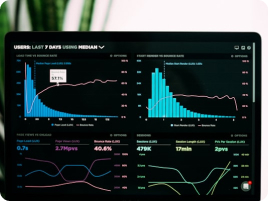
A dashboard nobody opens is still a maintenance cost: scheduled queries, a deployment to keep alive, and a line in the onboarding document that new starters read once.
The builds that go quiet started from whatever data was available, produced a chart per table, and left the team to work out which number mattered.
A dashboard earns its place when someone changes what they do because of it.
Before any query is written, name the decision the screen supports and the role that makes it. A dispatcher moving jobs to tomorrow needs a different view from a finance lead approving spend.
Once the decision is named, the layout follows from it. We work through five points with whoever will use the screen:
The last one matters more than it sounds. A team with no way to report a suspect figure stops believing the screen, and then stops opening it.
Most internal screens open blank and ask for a date range, a region and a team first. The default should be the view the user picks almost every time.
We open on the current shift, week or queue, whichever matches the rhythm of the work, and persist changes. Filter state goes in the URL, so a pasted link carries the view.
Restraint helps. A filter per column looks thorough and reads as clutter; three that match how the team already divides the work get used, and the rest goes behind a search box.
Perceived speed drives adoption more than completeness. A screen that takes several seconds to load is not consulted during a phone call, and an unconsulted tool never becomes part of the work.
The fix is rarely a faster database. Pre-aggregate the landing view counts into a summary table on a schedule, keep expensive joins behind the drill-down, and cache by filter combination.
Where a query is genuinely slow, say so. A panel that loads independently and shows its own last-refreshed time reads better than one holding the whole view hostage.
Trust collapses the first time a tile disagrees with a figure quoted in a meeting and nobody can explain why. Definitions are the usual culprit, so build the explanation into the screen.
An internal tool with no named owner degrades quietly. A column is renamed upstream, a status code changes, and a chart keeps drawing a line that no longer matches its label.
We hand over with a short runbook, alerting on the refresh job rather than the page, and contract tests on the source queries: a column that disappears should break a build, not a tile.
AI & Automation
Read more

AI & Automation
Read more
DevOps
Read more